Movie Battles User Interface Update (Movie Battles 2) [2019-2020]
This is a User Interface update for the Movie Battles 2 modification for Jedi Academy. The initial concept and starting prototype menu files were created by Starushka. As he had to step away from the project, I took the reigns and had to learn Jedi Academy's very outdated UI system that revolved entirely round text file entries. It also has a coordinate system based on a 640x480 resolution, which often means you can't get things to align nicely on modern widescreen resolutions.
Overall this took months of actual work to create over the course of a few years. As everything was based on text files, several hundred thousands of lines of text had to change over the course of the time. I spent over a month just updating coordinates after we optimized some of the graphics used in the menu. I mostly took what Starushka had initially created in his concepts, and translated it into the game.
Through this process we wanted to make future UI updates much easier for us, which involved removing as much duplicate information as possible. The old UI duplicated elements across multiple menu files as the game was not initially designed to more than a couple menu files opened at once. However, with quite a lot of code work, trial and error, testing, etc. we managed to make the game like our updated system. The updated system involves using a bunch more modular menu files that can be moved and adjusted using the initial starting coordinates. This way if someone has to update something, they just have to update say the graphics for one file, rather than updating it in 20.
It was a lot of work to get something this complicated to work in an old engine, and I am glad I was able to get it all working with the help of others to take some of the load off of my shoulder for some repeated tasks, as well as help with bug fixing code related things.
Special thanks to the additional help of: GrandCoderJohn, Pipexlul, Spaghetti, Starushka, Redsaurus, Frenzy.
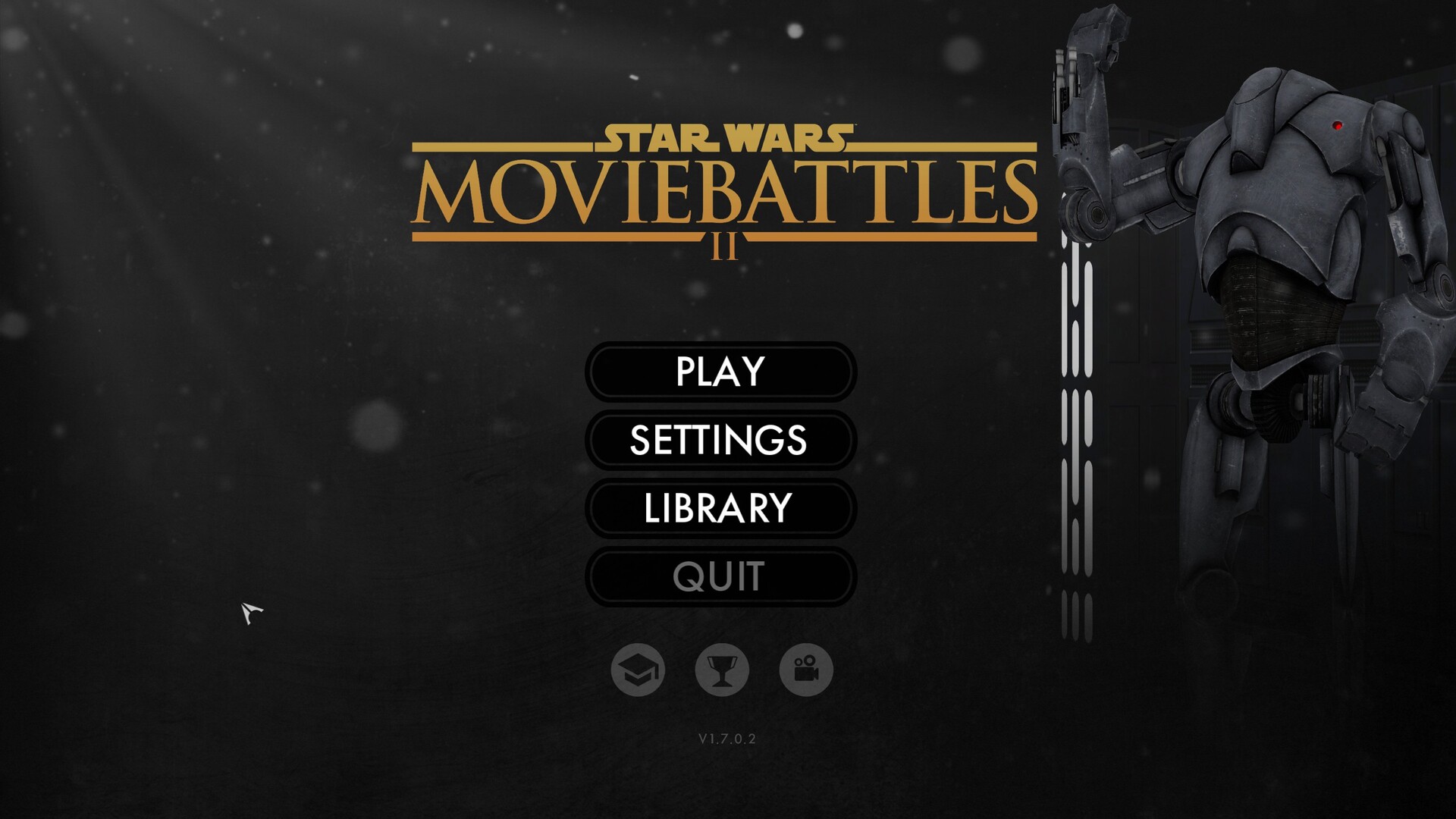
Updated Main Menu inspired by Battlefront, Knights of the Old Republic

Updated server list menu has more servers available due to a reorganizing of the menu, as well as more options for filtering.

New Tutorial menu. Most of the individual sub elements had to be hard coded in via a "feeder" rather than through normal UI files.

Main Menu Quit.

Updated Mission Info menu. Though this will likely get updated further with even more features in the future.

Updated in-game settings menu.

Initial team and class selection.
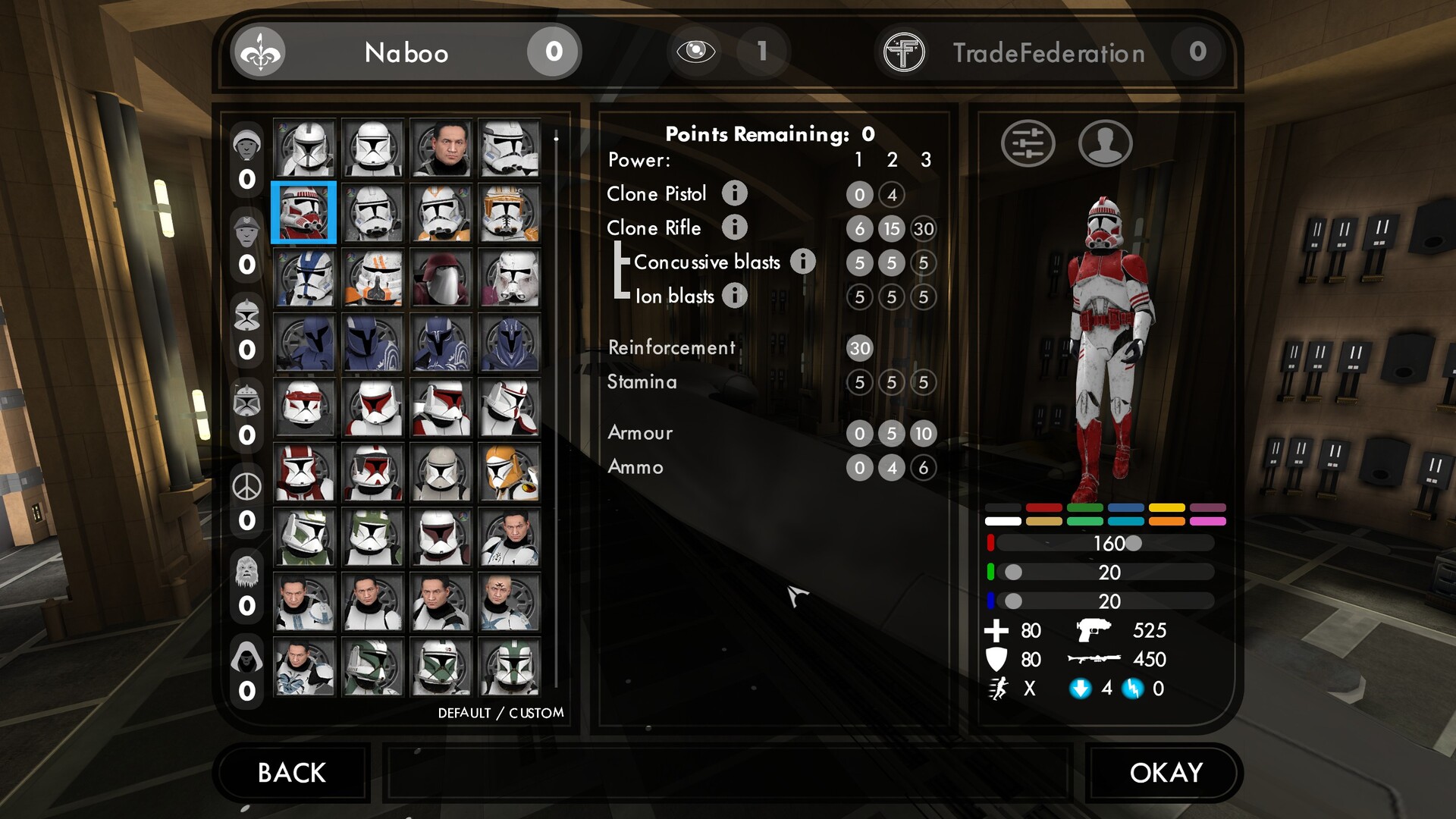
After selecting your class, you go to selecting your model, point loadout, and some character customization. You can choose between seeing your character customization first, or your template builds in the next image, depending on your preference.
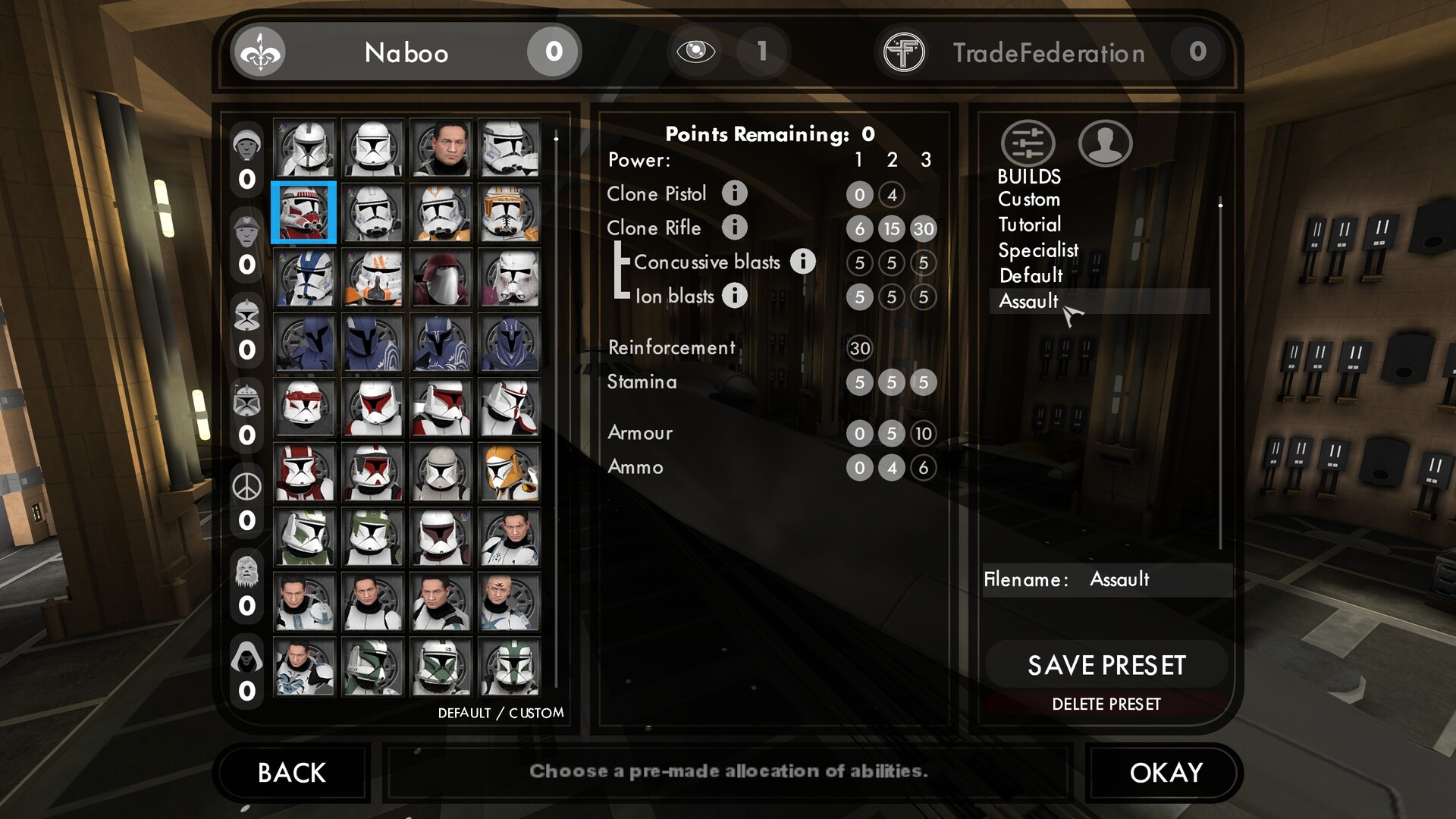
Class Select menu with Point Templates active.

When you hover over an info icon in the point select area, it gives you additional details and statistics as well as an overview video of what an item does.
Some values are missing currently as we still need to hook them up to code.

Class Select menu with Hilt Selection active as a Jedi.

In-Game Quit Menu

Updated Loading Screens.

Updated Full Authentic Mode Menu.
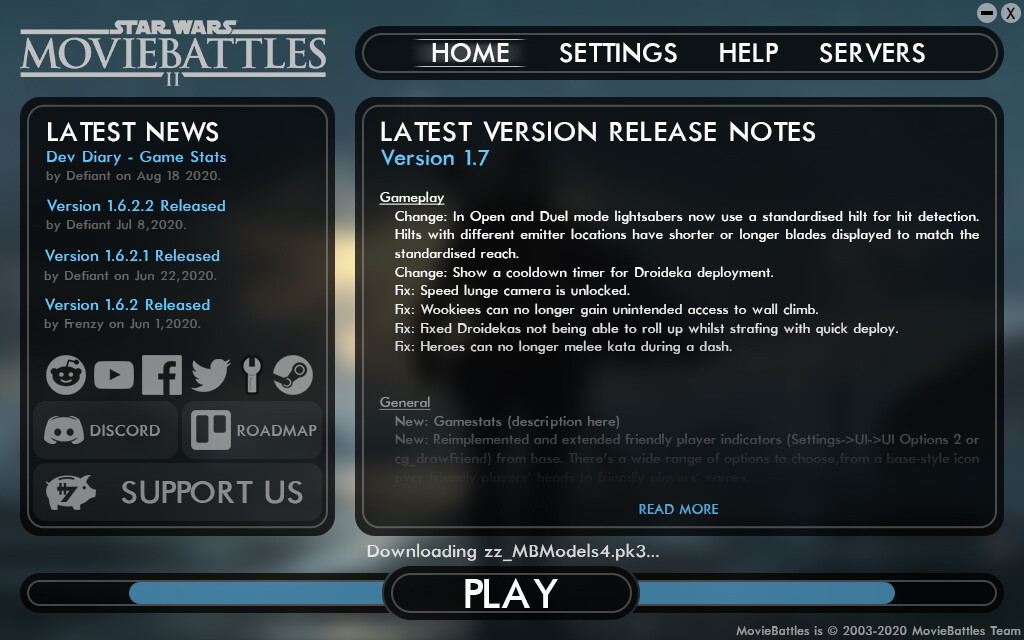
Updated Launcher Home Concept.

Updated Launcher Settings Concept.